
All Articles
Self-Service Restaurant: Guide to the Model, Benefits & Setup

 25 April 2025
 14 min read
In an age of digital convenience and tight labor markets, the self-service restaurant has emerged as an innovative dining model. From fast-food chains to modern cafeterias, more restaurateurs are exploring self-service options to improve efficiency and customer satisfaction.
This guide explains what a self-service restaurant is, the advantages and disadvantages of this model, the types of equipment and technologies involved, and practical steps to opening and operating a self-service eatery. We’ll also examine how self-service affects customer experience and operational efficiency, and preview future trends in the industry. By the end, you’ll understand whether adopting a self-service approach is right for your restaurant and how to implement it effectively, with a look at modern solutions like TapTasty to streamline the process.
What Is a Self-Service Restaurant?
A self-service restaurant is a dining establishment where customers essentially serve themselves, typically by placing their orders and collecting their food, rather than being waited on at a table. In this model, guests might select their meal from a counter, buffet, or touchscreen kiosk, pay at a cashier or via an automated system, and then seat themselves to enjoy their food. This is in contrast to a full-service restaurant, where waitstaff take orders and bring food to the table.
Self-service restaurants can take many forms. Traditional examples include buffets, cafeterias, and fast-food eateries. In a cafeteria or buffet, patrons pick and serve their food from displays and carry it to their tables. In fast-food and quick-service restaurants (QSRs), customers typically order at a counter and pick up their meal when it’s ready, a basic self-service element.
The concept isn’t entirely new – the famous Horn & Hardart Automat, early in the 20th century, allowed customers to purchase meals from vending-style cubbies without any direct interaction with staff (the first Automat opened in Berlin in 1895). Over the decades, self-service dining has grown in popularity for its speed and cost efficiency.
Modern self-service technologies have greatly expanded what self-service restaurants can do. Today, many establishments use digital systems that let customers complete parts of the dining experience on their own. For example, guests can browse a menu and place orders using a QR code on the table with their smartphone, or use a self-ordering kiosk to customize and pay for their meal electronically. Ordering and payment can also be done through a restaurant’s mobile app or website for pickup orders. In essence, any tool that enables customers to perform ordering or payment tasks without direct employee assistance is part of self-service restaurant technology.
Advantages and Disadvantages of a Self-Service Restaurant
Adopting a self-service model can bring significant benefits to a restaurant, but it also comes with challenges. As a restaurateur, it’s important to weigh both the advantages and disadvantages:
Let us take a look first at the advantages of such a model:
- Increased Efficiency and Speed: Self-service systems often streamline the ordering process, leading to faster service. Customers can place orders immediately without waiting for an available cashier or server, which reduces wait times and keeps lines moving. More customers can be served in a shorter period, boosting throughput. In the kitchen, orders from kiosks or apps go directly to the kitchen display system, so staff can start preparing food right away. This improved efficiency not only enhances the customer experience but also allows you to serve more people, especially during rush hours.
- Lower Labor Costs: Implementing self-service technology can help cut labor expenses. By offloading ordering and payment tasks to kiosks or customer devices, a restaurant may require fewer front-of-house staff. This can be crucial in times of labor shortages or high wage costs. Employees who would otherwise be tied up taking orders can be reassigned to tasks such as food preparation, customer assistance, or other roles that add value. Over time, a self-service restaurant might operate with a leaner team, saving on staffing costs (one case study found some restaurants saw a 40% drop in labor costs after adding kiosks).
- Improved Order Accuracy: When customers enter their orders (whether on a kiosk screen or via a mobile app), the risk of miscommunication or human error in order entry is significantly reduced. The order goes straight to the kitchen, as the customer intended, minimizing mistakes such as incorrect items or missed modifications. Fewer errors mean fewer remakes, less waste, and higher customer satisfaction.
- Higher Average Spending and Sales: Self-service restaurants often report increases in average check size and overall sales. Digital ordering interfaces can be programmed to upsell or suggest add-ons consistently – something staff might forget or feel uncomfortable about. For example, a kiosk might always prompt customers to “Make it a combo?” or recommend a dessert. With faster service, you can also handle more orders in the same time frame, further boosting revenue potential.
- Enhanced Customer Experience: Many customers enjoy the control and convenience that self-service options provide. Diners can take their time exploring the menu, customizing their meal, and placing the order exactly how they want, without any pressure. Tech-savvy customers often find kiosks or mobile ordering to be fun and interactive. Additionally, for those who prefer limited interaction or greater privacy, self-service meets their needs. When implemented well, self-service can lead to shorter lines, quicker service, and a smooth, modern experience – all of which improve customer satisfaction.
Now, let’s turn to the disadvantages:
- Reduced Personal Touch: One of the main drawbacks of a self-service restaurant is the loss of some human interaction. Great hospitality often hinges on personal service – friendly greetings, servers checking in, and the ability to ask questions or get recommendations. With self-service, mainly when relying heavily on kiosks or apps, customers might miss that warm, personal touch. This can impact the ambiance and customer loyalty for guests who value face-to-face engagement. In full-service or upscale environments, a self-service approach could feel impersonal. Restaurateurs need to find ways to provide hospitality, even if it’s just staff roaming to assist or greet customers, so that the service doesn’t feel too robotic.
- Technical Issues and Learning Curve: Relying on technology means you must account for potential glitches and user error. If a kiosk freezes, a tablet’s battery dies, or the network goes down, ordering can grind to a halt unless you have a backup plan. Even minor bugs can frustrate customers. There is also a learning curve – not all patrons are comfortable with touchscreens or smartphone ordering, especially older adults or those with limited tech experience. These customers might find self-service systems confusing or intimidating at first.
- Upfront Costs and Maintenance: Implementing self-service technology involves a significant upfront investment in both hardware and software. Purchasing equipment such as self-order kiosks, tablets, touchscreens, or digital menu displays can be expensive. For a detailed breakdown of kiosk pricing, you can explore our in-depth article here. Beyond hardware, there are additional costs for software licenses or subscriptions, as well as installation and integration with your point-of-sale (POS) system (however, some all-in-one restaurant management platforms—like TapTasty—offer built-in integration, helping eliminate these added expenses). For small, independent restaurants, these initial costs can present a substantial hurdle, and it may take time before efficiency improvements or increased sales fully justify the investment.
- Limited Customer Assistance: By design, self-service means that customers are expected to handle things on their own. But what if a guest has a special request, a dietary question, or simply needs help carrying a large order to their table? Self-service setups might not accommodate these needs as readily as a staffed model. There is a risk that some customers will feel abandoned if they encounter issues (such as not understanding how to complete a payment on a kiosk) and no staff are available to help immediately. Restaurants must ensure there are still employees available for guidance when needed. Otherwise, a poor experience could deter some guests.
- Security and Hygiene Concerns: Introducing more tech and customer-operated devices brings some new concerns to manage. Customers might worry about the privacy of their data when using apps or kiosks (e.g., entering credit card info on a public screen). It’s essential to use secure payment systems and reassure patrons that their information is safe and protected. Additionally, shared devices like touchscreens need frequent cleaning. High-touch surfaces can harbor germs, so sanitation is crucial (especially in a post-COVID environment where people are more aware of hygiene). Failing to keep kiosks, tablets, and self-serve stations clean could not only spread illness but also give customers a negative impression of your restaurant’s cleanliness standards.
Despite these challenges, many of the disadvantages of self-service can be mitigated with proper planning and a hybrid approach. Some restaurants opt for a combination of self-service and staff assistance – for example, deploying kiosks and mobile ordering but still having staff greeters or runners to answer questions, deliver food to tables, or assist less tech-savvy customers. The key is to strike a balance between efficiency and hospitality.
Types of Equipment and Technologies Used in Self-Service Restaurants
Implementing a self-service restaurant model involves various tools and technologies. Here are some of the common types of equipment and tech used to enable customers to serve themselves:
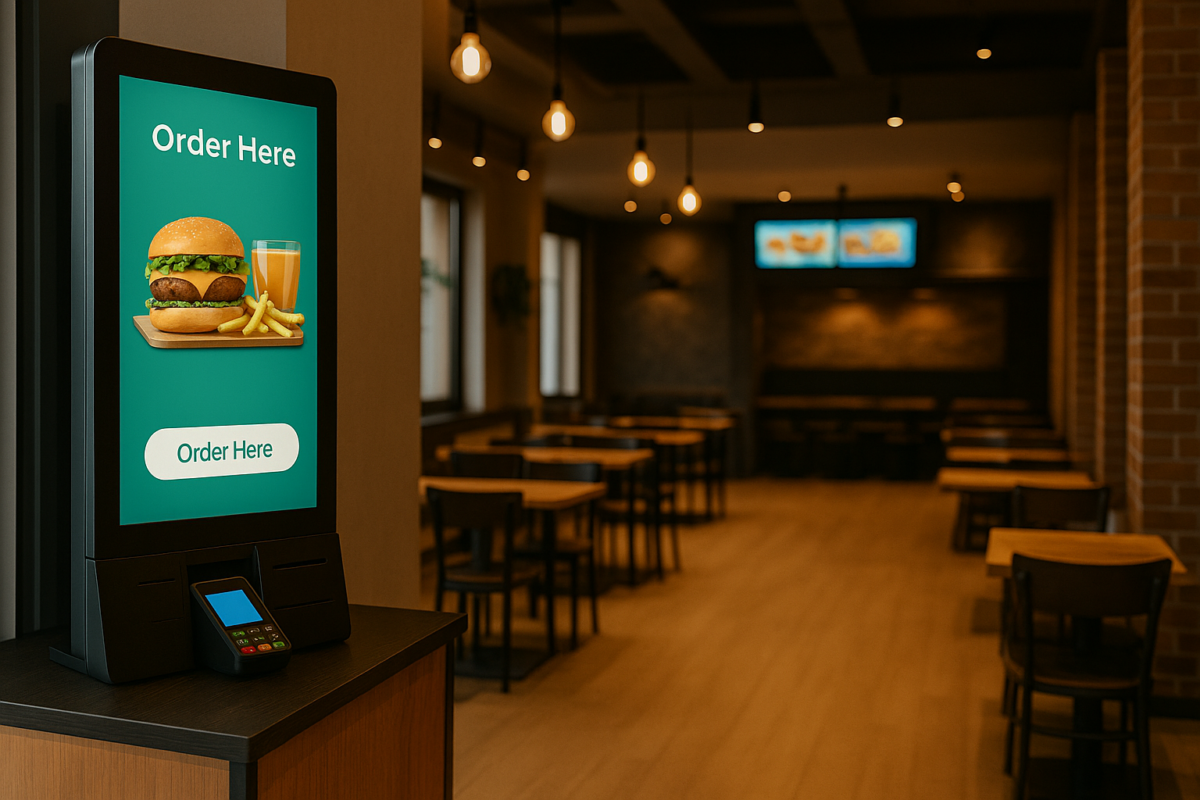
- Self-Ordering Kiosks: Perhaps the most iconic self-service restaurant equipment is the freestanding self-order kiosk. These are touchscreen terminals (often tablet or large monitor screens in a kiosk enclosure) that allow customers to browse the menu, customize their order, and pay right on the device. Kiosks are typically integrated with a restaurant’s point-of-sale and kitchen systems, so orders are transmitted directly to the kitchen display or printer. Kiosks can be placed at the entrance or the ordering area. Some restaurants have multiple units to serve a large number of customers at once. They often include a credit card reader, a receipt printer, and sometimes a scanner for loyalty cards or coupons. Both big brands and small eateries have successfully used self-ordering kiosks to speed up the ordering process. They also enable consistent upselling prompts on every transaction, contributing to higher average order values.
- QR Code Menus and Table Ordering: QR code ordering has become very popular, especially since 2020. With this system, a QR code is displayed at tables or counters. Customers use their smartphone’s camera to scan it, which opens a digital menu or ordering interface on their phone. They can then select items and place an order themselves, often even pay through the phone. This effectively turns the customer’s device into a kiosk for ordering, requiring minimal hardware from the restaurant, aside from printed QR codes. It’s a low-cost way to implement self-service ordering for dine-in. Many table-service restaurants use QR codes solely for digital menus, but some have expanded them to include complete ordering and payment, creating a semi-self-service experience at the table. This technology improves efficiency and reduces the need for physical menus or close contact, aligning with the trend of contactless services.
- Mobile Ordering Apps: A dedicated mobile app for restaurant ordering is another key self-service technology. Some restaurants, or third-party providers, offer smartphone apps that customers can download to order food for pickup, delivery, or dine-in. For instance, a coffee shop might let customers order and pay through the app and simply pick up their drink at the counter when it’s ready, bypassing the line. These apps often integrate with loyalty programs, allowing customers to earn or redeem rewards seamlessly during self-service ordering. They provide convenience and familiarity, as many customers are used to ordering everything from their phones. Having your own branded mobile ordering app can strengthen customer loyalty and increase repeat business.
- Online Ordering Systems: Beyond mobile apps, online ordering through a website is another self-service channel restaurants use. Customers can visit the restaurant’s website or an online ordering portal, choose their items, customize their meal, and pay online. They can then pick up the food or have it delivered to them. While this is typically used for off-premises orders, it still counts as a self-service technology because the customer initiates and completes the order themselves. Given that online food orders now make up around 40% of total restaurant sales in the U.S., offering an online self-service ordering option is practically essential for modern restaurants.
- Contactless Payment Terminals: Payment technology is a crucial part of self-service. Restaurants are increasingly adopting contactless payment solutions – card readers or NFC terminals that allow customers to tap a credit card or use a mobile wallet (like Apple Pay/Google Pay) to pay quickly without handing their card to a cashier. Kiosks and tablets often have built-in payment modules for this purpose. Additionally, tableside payment devices—portable card readers brought to the table or customer-facing terminals at the counter—empower guests to complete the payment step on their own. These technologies speed up transactions and enhance security, as the card never leaves the customer’s hand. In a self-service restaurant setting, having robust, user-friendly payment equipment is crucial to making the checkout process seamless.
- Kitchen Display Systems (KDS) and Printers: On the back end, self-service technology is supported by kitchen equipment that receives and organizes orders. Instead of handwritten tickets, an integrated kitchen display system shows orders from kiosks, apps, and online in real time on a screen in the kitchen, helping staff start prep immediately and track order times. Some restaurants use automatic printing ticket printers for online and app orders. While not customer-facing, these tools are essential to make sure the increased order flow from self-service channels can be handled efficiently by the kitchen.
- Self-Serve Food and Beverage Stations: In some self-service restaurant formats, the “equipment” includes fixtures that let customers directly serve themselves food or drink. For example, a buffet restaurant requires a buffet station setup, including warming trays, salad bars, and serving utensils, where patrons can help themselves to various dishes. A fast-casual eatery might have a self-serve beverage fountain or condiment station, allowing customers to fill their drinks and grab sauces or utensils. These physical self-service fixtures reduce the need for staff to pour drinks or portion out items. They must be designed for easy use and kept stocked and clean on a regular basis. While not high-tech, they are integral equipment for traditional self-service operations.
In practice, a self-service restaurant may use a combination of these technologies. For instance, a modern quick-service restaurant might have ordering kiosks at the entrance, offer a mobile app for ordering ahead, and provide a self-serve drink station. The technology and equipment you choose will depend on the type of your restaurant and your customers’ preferences. It’s essential to ensure that all these systems integrate with your point-of-sale and inventory management systems, so orders from any channel (kiosk, app, or online) are tracked and fulfilled seamlessly.
How to Set Up a Self-Service Restaurant
If you’re considering opening a new self-service restaurant or converting an existing establishment to a self-service model, it’s essential to approach the transition in a systematic way. Here are practical steps to help you plan, implement, and operate a successful self-service restaurant:
- Research Your Market and Concept: Begin by determining if a self-service format is a good fit for your restaurant concept and target market. Study your customer demographics and preferences. Are they likely to embrace self-ordering technology or a serve-yourself setup? Analyze competitors and industry trends – if similar restaurants in your area are moving toward self-service (kiosks, etc.), you don’t want to be left behind. Additionally, decide what type of self-service model aligns with your food style. For instance, a buffet-style service might be suitable for a casual eatery that serves homestyle dishes. At the same time, kiosks or mobile ordering could be ideal for a fast-casual or quick-service restaurant (QSR) concept. The goal in this stage is to define your self-service vision clearly (e.g., “We will operate a café with kiosk ordering and a pickup counter, without waitstaff”) and ensure there is a market appetite for it.
- Plan the Customer Journey and Layout: Designing the flow of how customers will navigate your self-service restaurant is crucial. Map out the customer journey from entry to exit. Where will they go to place their first order? If you use kiosks, place them prominently near the entrance or ordering area with clear signage. If it’s a cafeteria line or buffet, organize the serving stations in a logical sequence and display menu signage so customers can serve themselves efficiently. Plan for a pickup area or an output counter where customers can collect their food (for example, many fast-food places give customers an order number and call them up when their food is ready). Ensure there is ample space around kiosks or food stations to avoid crowding. Also consider the dining area layout – once customers have their food, do they know where to go? Use signs or staff guidance to direct traffic. A well-thought-out layout minimizes confusion and keeps people moving smoothly, which is key to a positive self-service experience.
- Choose the Right Technology and Equipment: Selecting your self-service equipment and software is a make-or-break step. Based on your concept, determine what tools you need. Research vendors and solutions that specialize in restaurant self-service. Key features to consider include an intuitive interface, support for menu updates, payment processing, and analytics and reporting. It’s often wise to invest in a proven platform rather than trying to build a custom solution from scratch. For example, modern all-in-one solutions like TapTasty can provide a suite of self-service restaurant technology, including self-ordering kiosks, mobile ordering apps, and a central management panel, to help you get up and running quickly. These comprehensive systems offer user-friendly kiosks for customers and provide you with back-end tools to manage orders and make menu changes in real time. Whichever technology you choose, ensure it aligns with your budget and has good support and training available. Don’t forget to acquire any necessary hardware, such as touchscreen terminals, stands, network routers, receipt printers, and kitchen display screens. Ensure your internet bandwidth is robust enough to handle all connected devices.
- Develop Your Menu and Pricing Strategy: When shifting to self-service, you may need to tweak your menu presentation and pricing. Simplify menu categories and item descriptions so they are easy to navigate on both screens and signage. High-quality photos can help customers make decisions on kiosks or apps. Think about the combos or upsells you want to program into the system, such as prompts to add drinks, sides, or extras. Also, consider adjusting prices to account for the new service model. Some self-service restaurants lower certain prices because they save on labor, or they might introduce value deals to encourage customers to use self-order options. Ensure your menu data (item names, modifiers, etc.) is correctly set up in whatever digital system you use. Test that all items display correctly and that discounts or promotions apply as intended. A clear and well-organized menu will make the ordering process smoother and prevent frustration.
- Train Your Staff on the New System: Even if the goal is to automate customer-facing processes, your employees remain vital to a self-service restaurant’s success. Conduct thorough training sessions on how to use and troubleshoot the self-service equipment and software. Staff should know how to input orders manually if needed, assist customers with the interface, and perform basic troubleshooting tasks (such as rebooting a kiosk or replacing paper rolls). Emphasize hospitality in a self-service context – for example, training greeters to approach anyone who appears to hesitate at a kiosk proactively, or having runners double-check that guests have found everything they need. Kitchen and expediting staff should also be trained to handle order flow from digital channels, such as reading tickets from an online order printer or managing a queue on the kitchen display screen. Essentially, everyone should be comfortable with the technology and aware of their role in the new service model. This will smooth out the launch and ensure customers still feel taken care of even as they serve themselves.
- Test the System and Workflow: Before launching the whole setup, run a trial of your self-service setup. This could be a soft opening with friends and family, or with limited hours, where you invite a small number of customers to try out the new system. Observe how people interact with the kiosks or buffet line. Take note of any confusion points or technical glitches. Time the ordering and fulfillment process to identify any bottlenecks, such as a slow payment step or a backed-up kitchen. Use this test to iron out the kinks: adjust the software flow if necessary (such as rewording a prompt that people misunderstood), reposition signage that wasn’t visible, or determine if you need an additional kiosk based on wait times. It’s much better to catch and fix issues in a test phase than when you’re fully open and busy. Also, gather feedback – ask testers or early customers about their experience. They might have suggestions, such as adding a “repeat last order” feature or making the font larger on the kiosk, which can be valuable improvements.
- Launch Gradually and Educate Customers: When you’re ready to open or implement self-service, consider a gradual rollout. For an existing restaurant, you might introduce kiosks alongside traditional ordering for a short period so that regulars can ease into the change (you can phase out the old method later). For a new self-service restaurant, ensure that on opening day, you have extra staff on hand to act as ambassadors and guide customers. Clearly announce and promote the new system: signage like “Order Here on the Kiosk →” or brief instructions (e.g., “1. Tap to start 2. Customize your meal 3. Pay and take your receipt”). Sometimes, offering an incentive for first-time users helps – for example, “Try ordering at our kiosk and get 10% off your first order!” to encourage adoption. Patience is key in the early days; not everyone will immediately love self-service, but with friendly support and a bit of practice, most will appreciate its convenience. Through your website, social media, and in-store posters, communicate the benefits, such as faster service and no waiting for a server. This sets expectations and gets customers excited about the new experience.
- Monitor Operations and Continuously Improve: Once the self-service model is in place, treat the first few months as a learning period. Keep a close eye on performance metrics and customer feedback. Track things like average order time on kiosks, any error rates, and overall sales trends. You might discover peak usage times where you need an additional staff member stationed by the kiosks, or notice that certain menu items aren’t selling as much through self-order (perhaps they need a better photo or description). Solicit feedback from your customers – some may leave comments about the ordering process in surveys or online reviews. Also, get your staff’s input regularly; they are observing customer interactions and might suggest helpful tweaks. Be prepared to update your system software as new improvements are released, and maintain your equipment properly. For example, clean the kiosk screens multiple times a day and perform hardware checks after hours. By continuously refining the process, you’ll enhance the self-service experience over time. In addition, celebrate your wins: if you notice faster table turns or labor savings, be sure to note how these efficiencies are helping your business grow.
Setting up a self-service restaurant does require upfront effort – from choosing technology to redesigning service workflows – but following these steps will make the transition more manageable. With careful implementation, your restaurant can reap the benefits of greater efficiency and satisfy the modern consumer’s desire for quick and convenient service.
Conclusion
Self-service restaurants are transforming the dining landscape by offering speed, convenience, and operational efficiency. While this model does come with challenges, such as reduced personal interaction and upfront technology costs, these can be managed with thoughtful planning and the right tools. Whether you’re launching a new concept or upgrading an existing one, embracing self-service can help you meet modern customer expectations and thrive in today’s competitive market. Platforms like TapTasty make it easier than ever to implement and manage self-service operations smoothly, allowing you to focus on what matters most: serving great food with a modern touch.


